SAP S/4HANA Group Reporting Data Collection for Capturing Non-Financial Data & Disclosures
Discover how SAP Group Reporting Data Collection (GRDC) streamlines financial data collection, validation, and integration to support accurate and efficient group consolidation.

Introduction
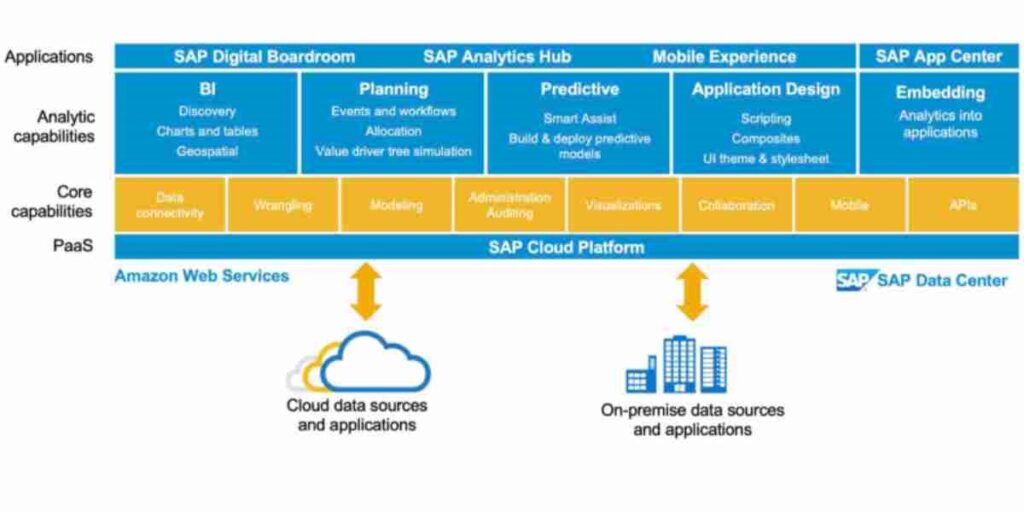
Group Reporting Data Collection (GRDC) is a BTP/Cloud-based powerful tool integrated with SAP S/4HANA Group Reporting that you can use to capture financial, non-financial data, and comments.
GRDC Forms is a key component of GRDC that allows users to create and manage forms for collecting non-financial data.
Companies using SAP S/4HANA ERP may need to collect additional financial or non-financial data for Reporting, Consolidation, and Disclosure purposes from different teams/departments. SAP GRDC can collect this additional data.
Companies that do not use SAP S/4HANA ERP can also use GRDC to collect all of their reported data or unconsolidated data. To capture non-financial data using GRDC Forms, users simply need to create a form to collect the data they need. Once the form is created, users can share it with the relevant stakeholders and collect the data. The data collected in GRDC Forms can then be used to generate reports and dashboards to analyze the data and gain insights into the company’s performance.

Here are some examples of how GRDC can be used to capture non-financial data:
A manufacturing company can use GRDC to collect data on its greenhouse gas emissions and water consumption. You can then use this data to generate reports on the company’s sustainability performance.
A retail company can use GRDC to collect data on customer satisfaction and employee satisfaction. You can then use this data to improve the company’s customer service and employee engagement.
A financial services company can use GRDC to collect data on its risk profile. You can then use this data to make better decisions about risk management.
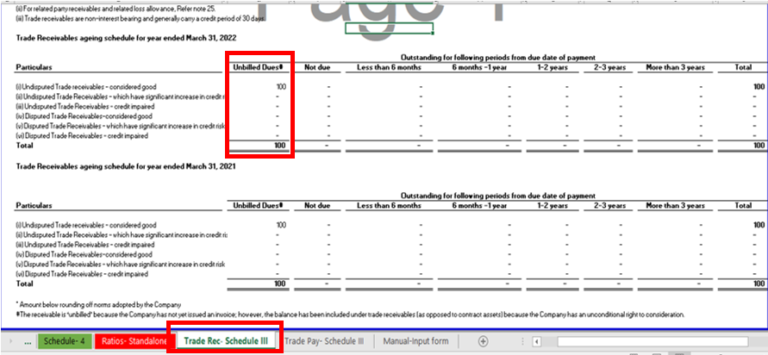
For e.g.: AR/AP Ageing schedule.
Why capture non-financial data?
There are a number of reasons why companies may want to capture non-financial data, including:
To comply with regulatory requirements
To be more transparent with stakeholders
To be more accountable for their social and environmental impact
To make better decisions about resource allocation, strategic planning, and risk management
How GRDC is used to capture non-financial data
You can use GRDC Forms to capture a wide range of non-financial data, such as:
Sustainability information (e.g., greenhouse gas emissions, water consumption, waste production)
Statistical information (e.g., AR/AP aging, customer satisfaction metrics, employee satisfaction metrics)
Non-financial performance indicators (KPIs) (e.g., sales growth, market share, customer churn)
Data on ad hoc projects or initiatives
Data from subsidiaries or other entities that do not use SAP S/4HANA.
GRDC develops to help you manually collect financial and non-financial data directly in SAP S/4HANA finance for group reporting’s ACDOCU Table, offering the following key features:
Manage Scenarios: This feature lets you set up and manage the context for your data collection.
Define Forms and Reports: With this feature, you can create your own reports or forms to collect different types of data. You can design these for financial information like numbers or non-financial data, such as descriptions and comments.
Enter Group Reporting Data: This is where your business end-users, the people working with the data, can manually input the information you need for the consolidation process.
STEPS FOR GRDC:
1. Manage Forms → Create Folder
2. Manage Packages
3. Manage Forms → Create Forms
4. Enter Package Data
Manage Forms → Folder
Click on Manage Forms Tile.

Click on Create → Select Folder.

Give General Information and Click Save.

Manage Package
Click on the Manage Package tile.
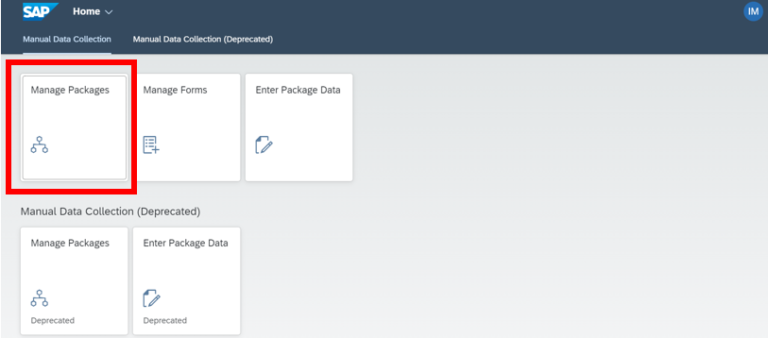
Create a Package by clicking on create.

Give General Information and go to Data Entry Steps Step.

Following screen will appear

Give step info →Select Folder

Give Read and Write document type

Following Screen is available

Manage Forms → Forms
Click on Manage Forms tile.

Select your folder and then click on create

Enter required details in General Information.

Go to Dimension Selection Tab, drag and drop the dimension in Rows, Columns and Filter as Required.

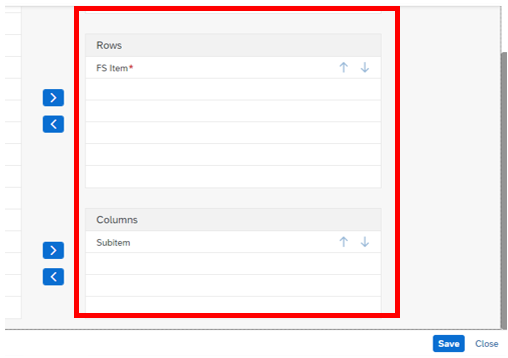
In the Form Designer Tab, you can select filters as per requirement.

Add FS Items in rows by adding blocks and subitems in columns.


Enter Package Data
We can view form through Enter Package data App

Select the package where the form is created.

Click on the form you wanted to open and enter data manually.
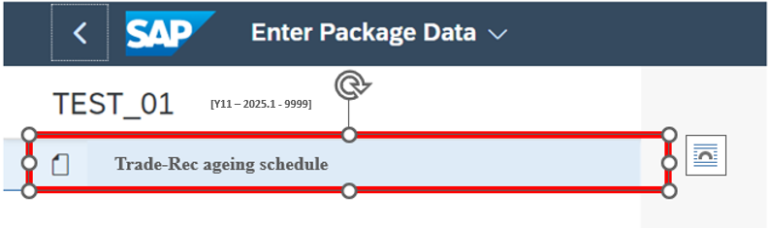
Insert Data and Save.

The schedule displays the amount you enter manually in the form.
To read more of our blogs you can surely click here .
Check out other video blogs.
Disclaimer: All the opinions are solely for information purposes, and the author doesn’t recommend or reject any tools. It should be done after your own due diligence.
Related Topics
#SAP Group Reporting#GRDC#Data Collection#Non-Financial Data#Consolidation#Disclosures#SAP BTP